

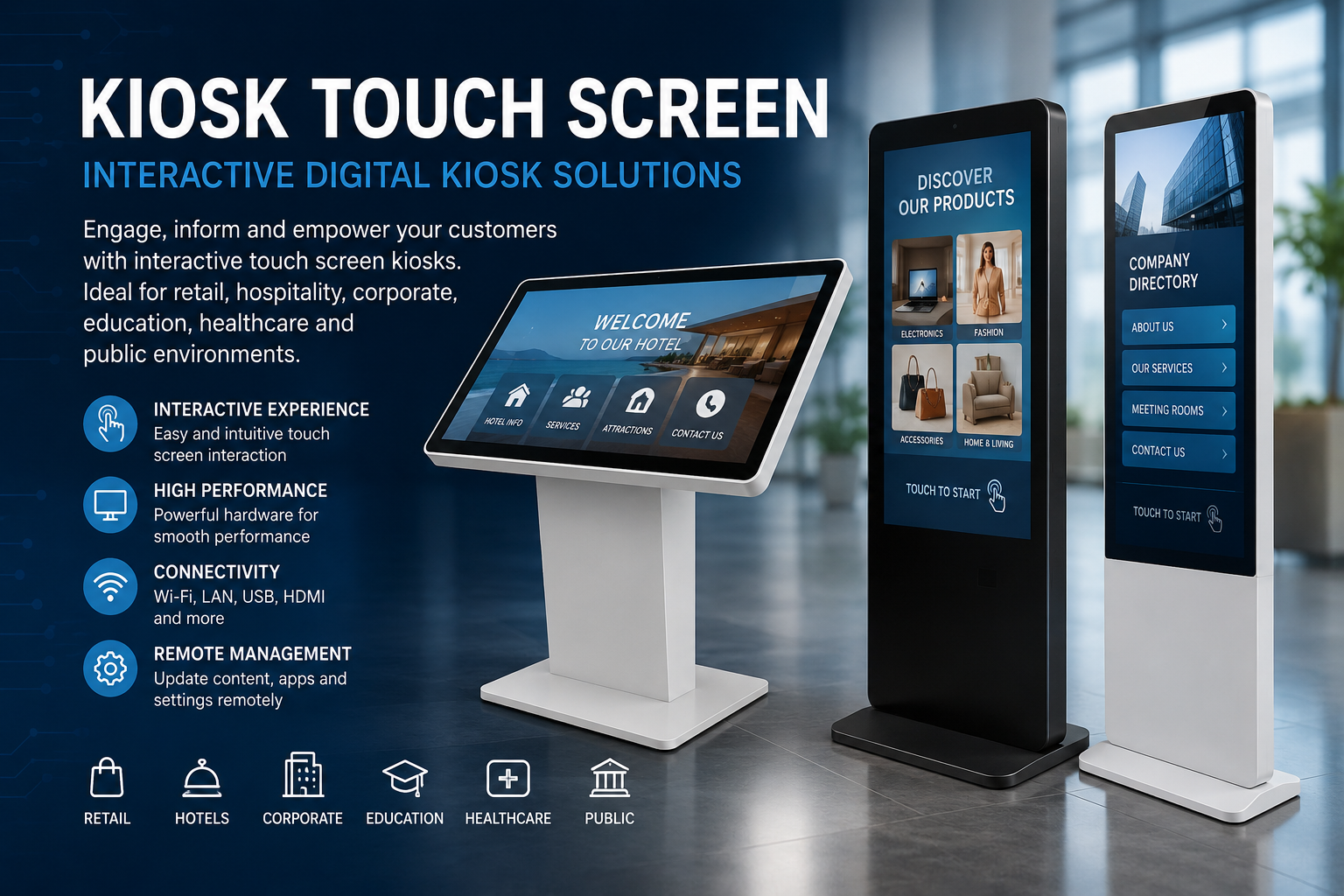
Kiosk Touch Screen – Interactive Digital Kiosk Solutions
Kiosk Touch Screen – Interactive Digital Kiosk Solutions
What Is a Kiosk Touch Screen?
A Kiosk Touch Screen is an interactive self-service digital display that allows users to access information, browse products, view multimedia content, complete forms, navigate websites, and interact with digital services directly through a touchscreen.
Touch screen kiosks are widely used in retail stores, shopping malls, hotels, hospitals, schools, universities, corporate offices, exhibitions, showrooms, restaurants, airports, and public facilities.
Modern interactive kiosks can combine a high-resolution touchscreen with Android or Windows operating systems, Wi-Fi, Ethernet connectivity, speakers, USB connections, and remote content management, depending on the selected model and configuration.
Interactive Touch Screen Kiosk for Business
Businesses use interactive kiosks to create a convenient digital point of contact between customers and their services.
Instead of relying only on printed signs or staff assistance, customers can use a kiosk to:
- Browse products and digital catalogs
- View prices and promotions
- Watch promotional videos
- Access websites and online services
- Complete registration forms
- Check in for appointments
- Find information and directions
- Display presentations
- Access self-service applications
This makes a commercial touch screen kiosk suitable for both customer-facing and internal business applications.
Key Benefits of a Kiosk Touch Screen
Interactive User Experience
Touch technology provides a simple and familiar way for customers to interact with digital information.
Professional Digital Display
Large-format kiosk screens provide an attractive presentation platform for images, videos, websites, advertisements, and business information.
Self-Service
Interactive kiosks can reduce the need for staff to handle repetitive information and service requests.
Flexible Connectivity
Depending on the model, kiosks can support Wi-Fi, Ethernet/LAN, USB, HDMI, and Bluetooth connectivity.
Android or Windows Options
Businesses can select an operating system according to the applications and software required for their project.
Remote Content Management
Compatible digital signage solutions can allow administrators to update advertisements, videos, images, and other content remotely.
Where Are Touch Screen Kiosks Used?
Retail & Shopping Malls: product catalogs, promotions, loyalty programs and interactive advertising.
Hotels: digital concierge services, hotel information, check-in applications and local information.
Corporate Offices: visitor information, company presentations and reception applications.
Hospitals & Clinics: patient information, registration, navigation and queue-management applications.
Schools & Universities: campus information, interactive educational content and digital directories.
Exhibitions & Showrooms: interactive product demonstrations, catalogs and lead-generation forms.
Restaurants: digital menus, ordering applications and promotional content.
Kiosk Touch Screen for Digital Signage
A touchscreen kiosk can combine the benefits of digital signage and interactive self-service technology.
Traditional digital signage primarily displays content. An interactive kiosk can allow visitors to actively explore that content.
For example, a customer can touch a product category, open specifications, watch a video, compare products, or access additional information.
Floor-Standing Touch Screen Kiosk
A floor-standing touch screen kiosk provides a professional standalone solution without requiring a desk or wall installation.
This format is particularly useful for:
- Shopping malls
- Hotel lobbies
- Reception areas
- Showrooms
- Exhibitions
- Retail stores
- Corporate entrances
Different screen sizes and hardware configurations can be selected according to the installation requirements.
Frequently Asked Questions
What is a kiosk touch screen?
A kiosk touch screen is a standalone interactive display that allows users to control digital content directly by touching the screen.
Can a touch screen kiosk connect to the Internet?
Yes. Depending on the model, connectivity can include Wi-Fi and wired Ethernet.
Can a kiosk display websites?
Yes. A compatible kiosk can be configured to display websites, web applications and other online content.
Can it play videos and images?
Yes. Digital kiosks are commonly used to display videos, images, presentations and advertising content.
Is Android available?
Many commercial kiosk configurations are available with Android. Windows-based configurations may also be available depending on the hardware.
Can content be managed remotely?
Models equipped with compatible content management or digital signage software can support remote content updates and device management.
What screen size should I choose?
The correct size depends on viewing distance, installation location, available floor space and whether the kiosk will primarily be used for advertising or interactive applications.
Choosing the Right Kiosk Touch Screen
When selecting a kiosk, consider:
- Screen size
- Display resolution
- Touch technology
- Brightness
- Operating system
- RAM and storage
- Wi-Fi and Ethernet connectivity
- Available USB/HDMI interfaces
- Speakers
- Installation environment
- Content management requirements
For commercial installations, choosing the correct configuration is important for reliable long-term operation.
Kiosk Touch Screen Solutions
A Kiosk Touch Screen provides businesses with a modern way to combine digital advertising, information delivery and interactive self-service.
From retail and hospitality to education and corporate environments, interactive kiosks can create an accessible and professional digital experience while allowing organizations to manage and present information more efficiently.
